SFA Tools: Sales Force Automation Guide for Field Sales Teams
What each tool does for the rep and the manager, and how to tell a set of apps from one platform.
 By Nikhil Chaudhary, VP of Marketing

What are SFA tools?
SFA tools are the parts of sales force automation software that take a repetitive step out of a field rep's day, from the visit plan to the order to the report a manager reads. In sales, SFA means sales force automation.
You can buy the tools as separate apps or as one SFA app on one platform. Either way, the questions are what each tool does and whether the tools pass work to each other.
The tools inside an SFA, and what each one does
Most field SFA software includes these tools, which together cover the sales process from the plan to the report. The rep uses them on the phone during visits, and the manager sees the results on the web.
| Tool | What it does for the rep | What it gives the manager |
|---|---|---|
| Beat and visit planning | Opens the day with the list of outlets to visit, in order | Sets how often each outlet is visited and spots missed visits |
| Route optimization | Gets the shortest route between today's outlets | Covers more outlets with the same team |
| Attendance, GPS check-in and activity tracking | Starts the day and each visit with one tap | Knows who is in the field and that each visit happened at the outlet |
| Order booking | Books orders with the outlet's own prices and schemes already applied | Follows orders by rep, outlet and SKU as they come in |
| Stock, returns and payments | Counts outlet stock, takes returns and collects dues on the same visit | Tracks dues and stock at every outlet |
| Shelf and merchandising checks | Photographs the shelf and records displays and competitor prices | Finds the outlets that break the planogram |
| Outlet onboarding | Adds a new shop with its location, photo and documents during the visit | Approves new outlets and watches coverage grow |
| Offline mode | Keeps working with no signal, and the app syncs later | Gets the visit data as soon as the phone reconnects |
| Dashboards and alerts | Sees personal targets and progress during the day | Tracks productive visits, lines per order and collections against target, with an alert when a territory slips |
| ERP and distributor links | Checks the distributor's stock before promising a delivery | Sees primary and secondary sales in one view, with no re-typing |
Which tools matter most depends on who your reps call on: pharma SFA centers on doctor lists, detailing and sample logs, while an FMCG team lives in beat plans and order booking. The kinds of SFA, and who each one suits, are on our SFA software page.
A set of SFA tools or one SFA platform? Follow one visit
Some SFA products are one platform. Others are several apps sold under one name. You can tell them apart in a demo: follow one visit from today's plan to tomorrow's, and count each time someone has to export, re-type or match data by hand.
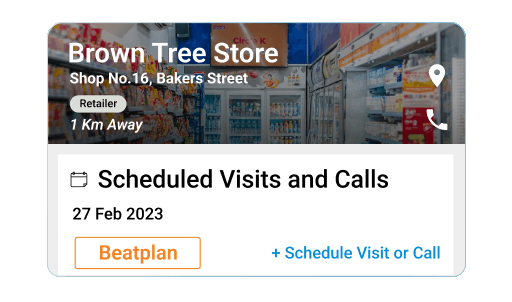 The plan picks the outlet. It is on today's list because of its history: a visit is due, a bill is unpaid, or it ordered less last month.
 The rep checks in and sees the outlet's story. Its dues and the SKUs it stopped buying show up without a second app.
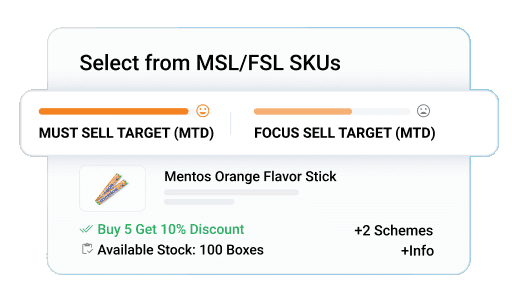 The order carries the right terms. The outlet's own prices and the scheme it qualifies for are applied as the rep books it.
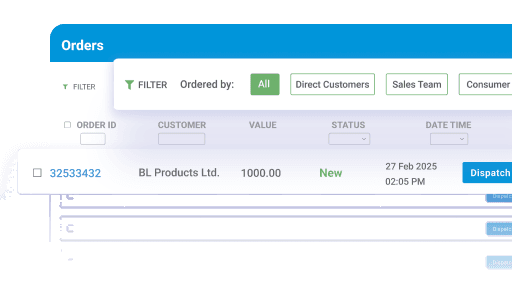 The order reaches the distributor. It lands in the billing of the distributor who holds the stock, through a distributor management system, not in an email or a chat message.
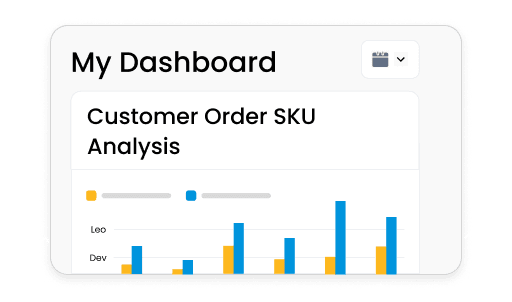 The manager sees it the same day. The visit, the order and the payment collected appear on the dashboard without a report from the rep.
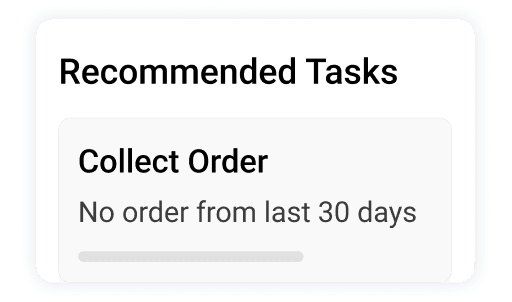 Tomorrow's plan can see today's result. The order, the dues collected and any refusal are on the outlet's record before the next plan is made.
On a platform, each step reads from the one before it. With separate tools, each handover is a file someone exports. That is where data can go missing or arrive late. Ask the vendor to run the test on a phone with a few of your own outlets loaded. For the questions to ask and how to run a pilot, see our buying guide to SFA tools.
From recording the day to directing it
Basic SFA tools record the visit and pass the data on. They do not tell the rep what to do with it, so reps still choose outlets and products by habit. Coverage is limited less by headcount than by control over which outlets reps visit and when. BeatRoute adds AI agents that act before the visit:
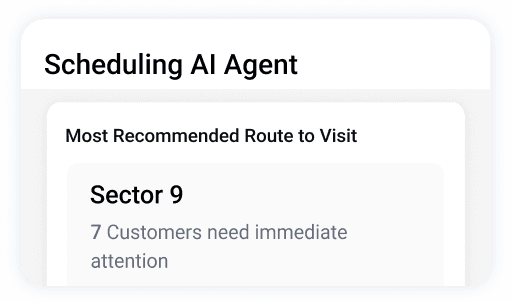
- Scheduling AI Agent Ranks each day's outlets by potential, order history, dues and goals, and Route Optimization AI builds the route. Productive visits rose from 45% to 78% with the Scheduling AI Agent.
- Order AI Agent Suggests what each outlet should add, based on what it buys and what is in stock. One leading FMCG brand grew order value and range per outlet 12% with the Order AI Agent.
- VM Audit AI Agent Reads one shelf photo and flags planogram gaps and missing products, at 80% lower shelf-audit cost than manual audits. It is part of BeatRoute's visual merchandising software.
- BeatRoute Copilot Answers a manager's question, such as which outlets are declining, in plain language. Copilot works from the same data the dashboards use.
Perfetti Van Melle India increased outlet reach by 15% and cut delivery cost by 10% with BeatRoute route optimization (read the Perfetti India case study). Cremica Food Industries raised sales productivity per rep by 30% on BeatRoute (read the Cremica case study).
Where BeatRoute fits
BeatRoute runs the SFA app, the distributor management system and a retailer ordering app on one platform, used by 200+ enterprise brands in 20+ countries. BeatRoute suits brands whose reps sell to many retailers through distributors and want distributor management on the same platform.
Take the instant demo, a guided tour of the platform, and put the visit test to what you see.
Keep reading
View all →


Frequently asked questions
How is SFA different from CRM?+
CRM is a broad system for managing customer relationships across marketing, sales, and service. SFA focuses specifically on automating field sales execution: beat planning, in-store checklists, order booking, and territory management. In consumer goods, SFA tools typically work alongside a CRM rather than replacing it.
Is SFA the same as field force automation?+
Not quite. Field force automation (FFA) covers any team that works on the move, such as service or delivery staff, and centers on attendance, location and tasks. SFA is the selling side: visit plans, orders, schemes and collections. Tracking alone tells you where a rep was; SFA also tells you what they sold.
How long does it take to go live on SFA tools?+
Most teams go live in 21 days on BeatRoute. The time goes into loading your outlets, prices, schemes and beats, and linking your ERP through BeatRoute Matrix. Larger rollouts take longer: PT Combiphar went live on BeatRoute SFA in two months (read the Combiphar case study).
What do SFA tools cost?+
BeatRoute is subscription software, priced per user and module on annual contracts, with no free trial. The price depends on how many reps use it and which modules you choose.
How do brands measure SFA success?+
Start with adoption: how many reps check in and book orders in the app every working day. Then track visit compliance, productive visits, lines per order and revenue per rep. If reps skip the app, the other numbers are not real, which is why the SFA app reps use every day matters more than the feature list behind it.