


Retail auditing is the regular check of a retail store against an agreed standard: how products are stocked, priced, promoted and displayed on its shelves. For a brand, a retail audit is the visit where its rep, merchandiser or promoter checks the shelf, price, promotion, point-of-sale material (POSM) and stock in an outlet the brand does not own. A full store audit covers all of these. A shelf audit, price audit or promotion audit covers one part.
Two other jobs share the name. When a retailer’s own finance or loss-prevention team audits its stores for cash, stock losses and safety, that is an internal audit with a different checklist. And in market research, a retail audit counts sales across a panel of stores to size a market, not to fix one outlet. This page is for the brand’s field team.
Why retail auditing matters to a brand
Between visits, a brand knows what it shipped to its distributors, not what reached the shelf. The audit is how it finds out, store by store, whether its must-stock range is listed, whether the promotion it paid for is running and whether its display is still up. Auditors who visit every cycle also catch the slow slips: facings lost to a rival, a price label left over from last month, signage behind a stack of boxes.
The retail audit checklist for every store visit
A brand’s store audit checks only what the retailer agreed to and what the brand’s own team can put right. Score these seven checks on every visit. Each one is a pass or a fail.
| Check | What to look at | It fails when |
|---|---|---|
| Must-stock products | Each product on the outlet’s must-stock list, on the shelf where shoppers can reach it | Any must-stock product is missing from the shelf, even if there is stock in the back room |
| Planogram and facings | Product placement against the agreed layout: shelf, order, height and number of facings | A product sits on the wrong shelf, the brand block is split, or there are fewer facings than agreed |
| Shelf prices | The price label under each product | A label is missing or shows a price other than the agreed price or the promotion price |
| Promotion | The offer the brand agreed with the store, from its start date | The offer is not running, or a shopper standing at the shelf cannot see it |
| POSM and signage | Posters, shelf strips, stands, coolers and signage the brand paid for | Material is missing, damaged, hidden or holding another brand’s products |
| Stock on hand | Stock on the shelf and in the back room | Fewer units than the minimum the brand set for this outlet type |
| Pack condition | Damaged packs, broken seals and dates | Any pack is damaged, or older than the brand’s own rule for dates on shelf |
Three steps sit around the checks. They are not scored, but an audit without them is hard to trust:
- Check in. Record the time and location, so the manager knows the rep was at this outlet.
- Take the before photo. One clear photo of the brand’s whole shelf, taken before anything is moved, so the record shows what the shopper saw.
- Close out. Note what was fixed, take an after photo, and give every failed check that is still open an owner.
Many teams also record competitor activity on the same shelf: a new product, a rival display, a price cut. Photograph it and pass it to the trade marketing team, but do not count it as a fail. The rep cannot fix it.
How to score a store audit so two reps agree
A store compliance audit is only useful if two reps looking at the same shelf write down the same result.
- Score each check pass or fail. “Shelf looks good, 4 out of 5” means something different to every rep. “All must-stock products on the shelf: yes or no” does not.
- Score against the outlet’s own standard. Set one must-stock list and planogram for each outlet type, class or region, with a photo of a correct shelf, so the rep compares like with like.
- Keep the before photo with the score. A photo with the time, place and outlet on it lets a manager or the store owner check the result later.
The outlet’s score is the share of checks that passed, counting only the checks that apply to that outlet. Follow it outlet by outlet across visits. If a missing must-stock product costs you more than a dented pack, weight the checks; our perfect store guide shows how.
How often to run a retail store audit
Audit as often as an outlet can lose you sales between visits. In practice, tie the audit to the visit cycle your team already runs:
- Every outlet, on every visit. Supermarkets and chain stores get the full audit; small outlets on a long cycle can run a short version: must-stock products, price and promotion.
- Promotions: in the first days, while a missing display is still worth fixing.
- New products: on the first visits after launch, to confirm the product reached the shelf.
What to do with the checks that fail
Sort every failed check by who can take the corrective action, before the rep leaves the store. BeatRoute’s audit is built this way: each gap becomes a ticket with an owner, so nothing waits for someone to read a report.
- The rep can fix it now. Face up the shelf, bring stock out from the back room, put up the shelf strip, or ask the owner to correct a price label. Then take the after photo.
- Stock has to come in. Take the order on this visit, or raise a restocking task for the distributor.
- Someone else has to agree. The store owner refuses the display, or a chain’s head office sets the price. Send it to the supervisor or key account manager, with the photo.
Measure the share of failed checks fixed before the next visit. If that share is low, auditing more often will not help; fix the follow-up first.
AAVA Brands in Nigeria grew store-level sellouts by 25-30% on BeatRoute SFA and DMS. Its field team tracks must-sell and focus-sell lists against its retail execution KPIs. Read the AAVA Brands case study.
Running the checklist in BeatRoute
In BeatRoute’s retail audit software, reps run your checklist in the mobile app during the visit. Every photo carries the time, location, outlet and campaign. When a store falls below target, its supervisor is alerted. Audits also run in stores with no signal and sync later.
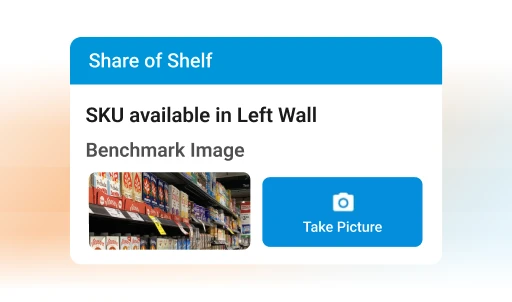
The VM Audit AI Agent, now in field runs with customers, grades a shelf photo against your benchmark for planogram compliance, share of shelf, SKU visibility, POSM and competitor activity. BeatRoute puts the agent’s shelf-audit cost 80% lower than a manual audit.
BeatRoute suits brands whose reps, merchandisers or promoters check stores the brand does not own; a retailer auditing its own stores for safety and operations needs a store operations tool instead. Book a demo to see a store audit run on your own checklist.
Frequently asked questions
What is the difference between a retail audit and in-store execution?
In-store execution is the work: placing stock, setting the planogram, running promotions. A retail audit is how you check that the work happened the way it was planned. Audits that change nothing are only reporting. Our guide to in-store execution covers the work side.
Can we start with a retail audit checklist in Excel or PDF?
Yes, for a pilot in a few stores. Put one row per outlet and one column per check, with pass or fail in each cell. A spreadsheet stops working when you need photos tied to a time and place, or when failed checks have to reach the person who fixes them without someone reading every sheet. That is the point to move to retail audit software.
Should our own reps audit, or a retail audit company?
Use your own reps when the goal is to fix the shelf. They visit every cycle, know the store owner and can act on what they find. An outside retail audit service suits a one-off check, an independent count to compare with your team’s results, or areas your team does not visit.
Do we still need field auditors if AI scores the photos?
Yes, with a different job. Field reps still take the photos, talk to retailers and close the gaps the audit finds. Once photo scoring is in use, auditors stop filling long forms and spend the visit on the fix.